

Description
Download Wondershare Photo Collage Studio – photo collage, photo editor, digital collage, creative tool, photo sharing, memory maker, image organizer, artistic creation, visual storytelling, photo layout
Overview
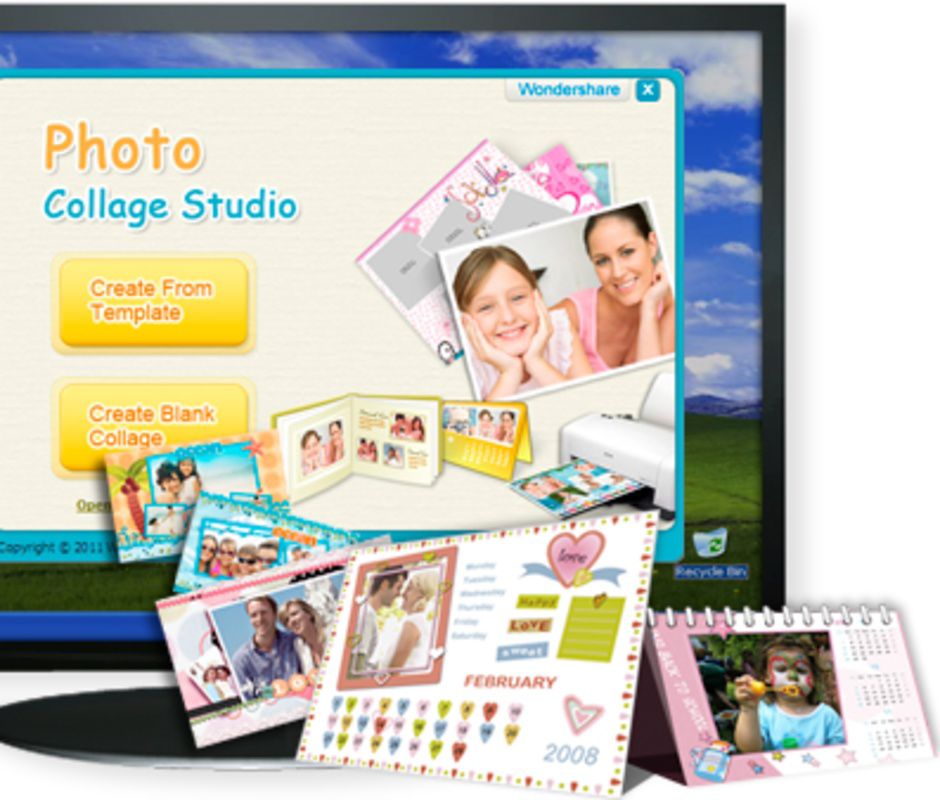
Wondershare Photo Collage Studio is a mobile application designed to empower users with the tools needed to transform personal photographs into visually compelling artistic compositions. The app serves as a digital canvas for individuals seeking to express memories, celebrate milestones, or simply explore creative self-expression through visual storytelling. By combining images into curated layouts, users can create unique photo collages that reflect personal narratives, family moments, travel adventures, or special events. The app targets a broad audience, including casual users, social media enthusiasts, and amateur designers who value both simplicity and creative flexibility.
Developed by Wondershare, a company known for its multimedia software solutions, the application aligns with a long-standing commitment to accessible digital creativity. Although the developer did not provide additional technical details about the app’s development history or core architecture, its presence in the market since 2009 underscores its enduring relevance in the photography and digital art space. The app functions as a utility within the mobile productivity ecosystem, offering a streamlined alternative to complex desktop editing tools. Its integration of templates, editing tools, and artistic elements positions it as a practical solution for users who want to create shareable visual content without extensive design experience.
Key Features & Functionality
- User-Friendly Interface: The app features a simple and intuitive layout that supports seamless navigation across tools and functions. This design philosophy ensures that users of all experience levels can begin creating immediately, minimizing the learning curve associated with digital editing.
- Extensive Template Library: A diverse collection of pre-designed templates offers users a starting point for their projects. These templates vary in structure, style, and complexity, enabling quick creation of professional-looking collages suitable for social media, personal albums, or digital gifts.
- Advanced Image Editing Tools: Built-in tools such as Crop, Flip, Shallow, and Gray effects allow users to refine individual photos before placing them into a collage. These options provide control over composition, lighting, and mood, enhancing the overall visual harmony of the final piece.
- Rich Clipart and Wordart Collection: The app includes a library of decorative graphics and customizable text elements. These features enable users to add thematic accents, captions, or emotional context to their collages, increasing their personal and communicative value.
- High Degree of Customization: With hundreds of layout, color, and design options, users can tailor each collage to match their aesthetic preferences. This flexibility encourages experimentation and supports the creation of one-of-a-kind visual narratives.
For example, a user planning a birthday celebration might use a festive template, insert photos of the guest of honor, apply a warm filter, and overlay a celebratory message using Wordart. Similarly, a traveler could assemble a journey montage using a map-inspired layout, blending images with location-specific cliparts and descriptive text.
Interface, UX & Performance
The app’s interface is designed with clarity and accessibility in mind. The layout organizes tools into logical sections, with visual cues and consistent iconography that support intuitive interaction. Navigation is linear and predictable, allowing users to move from selecting a template to finalizing their collage with minimal friction. The visual style leans toward minimalism, focusing attention on the photo editing workspace rather than distracting elements.
Although the developer did not list formal performance metrics, the app’s file size of 23.4 MB suggests a lightweight footprint, which typically correlates with efficient resource usage. This makes it suitable for a wide range of Android devices, including mid-tier and older models. Users can expect responsive interaction during basic operations such as image selection, template switching, and layout adjustments. Stability appears to be maintained across common usage scenarios, though real-world performance may vary depending on device hardware and background processes.
Platform Compatibility & Technical Requirements
Wondershare Photo Collage Studio is available exclusively on the Android platform. The current version is 2.2.1, and the app occupies 23.4 MB of storage space on the device. The developer did not specify minimum OS requirements or device compatibility details, so users are advised to ensure their device meets general Android standards for app installation. Compatibility information was not fully disclosed, so installation success may depend on individual device configurations and system updates.
Pros and Cons
Pros
- Intuitive interface suitable for users of all experience levels
- Wide variety of pre-designed templates for quick project creation
- Comprehensive editing tools for precise photo enhancement
- Rich library of cliparts and customizable text elements
- High customization potential for unique artistic outcomes
- Free to download and use with no in-app purchase prompts
Cons
- Specific technical requirements were not listed by the developer
- Compatibility with older or low-end devices remains unverified
- Limited information on update frequency or future development plans
- No cloud sync or export optimization features were mentioned
- App size may be larger than average for simple utilities
FAQ
Is Wondershare Photo Collage Studio safe to download?
Yes, the app is available through official Android channels and is free from known malware. As with any third-party application, users should ensure they download from trusted sources to maintain device security.
Can I use this app on iOS devices?
The app is currently available only on Android. There is no official iOS version listed in the provided data.
How often is the app updated?
Specific update frequency was not disclosed by the developer. Users are encouraged to check the app store for the latest version.
Does the app require an internet connection?
Basic functionality, including template selection and image editing, can be performed offline. However, certain features like cloud sharing or template downloads may require internet access.
Can I export my collages in high resolution?
The app supports exporting finished collages, though specific export quality details were not provided. Users may need to check the settings to confirm output resolution.
Final Thoughts
Wondershare Photo Collage Studio stands out as a practical and accessible tool for anyone looking to transform ordinary photos into memorable visual stories. Its blend of ready-made templates, intuitive controls, and rich customization options makes it ideal for users who value creativity without the complexity of professional design software. Whether you're crafting a digital scrapbook, preparing a social media post, or creating a gift for a loved one, this app delivers a smooth and satisfying experience. The free price point enhances its appeal, offering robust functionality without financial commitment. For those seeking a reliable, lightweight, and visually engaging photo editing solution, Wondershare Photo Collage Studio is a strong contender in the mobile photography space.
Download Wondershare Photo Collage Studio now
Guides & Tutorials for Wondershare Photo Collage Studio
How to install Wondershare Photo Collage Studio
- Click the Preview / Download button above.
- Once redirected, accept the terms and click Install.
- Wait for the Wondershare Photo Collage Studio download to finish on your device.
How to use Wondershare Photo Collage Studio
This software is primarily used for its core features described above. Open the app after installation to explore its capabilities.
User Reviews for Wondershare Photo Collage Studio 0
No reviews found


